
Getting Started in School Tycoon
Claim the tycoon, kick off homework income, and spend your first coins without stalling.
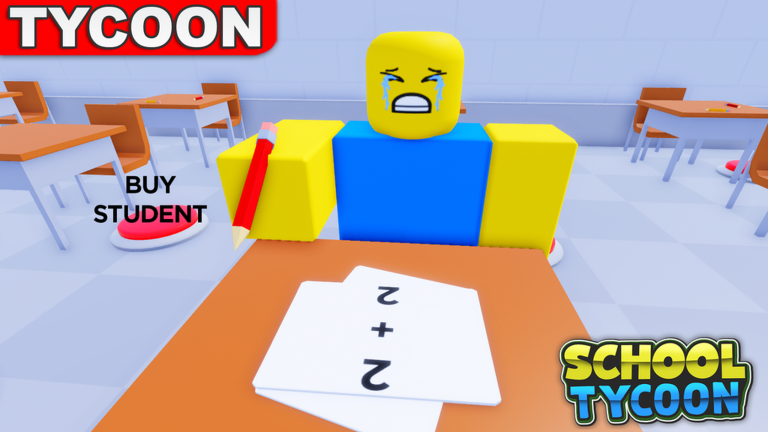
School Tycoon by Shark Fin Studios LLC puts you in charge of a Roblox campus that grows from an empty plot into a multi-floor school. You collect homework for coins, buy desks to raise capacity, hire students for coins per minute, add teachers and janitors, customize colors and schedules, and eventually send classes on bus field trips. This beginner guide covers the first session end to end so you never waste the early bankroll on vanity.
Servers hold up to four players. Your progress autosaves. The official place is School Tycoon on Roblox. If the UI feels unfamiliar, keep the Controls guide open beside this one.
Minute 0 - : join and claim
- Launch the correct Shark Fin Studios experience (avoid similarly named school tycoons).
- Load in, locate the unclaimed or assigned tycoon plot for your player, and claim it if the game requires a button stand.
- Orient yourself: find the first purchase pads, the collect path, and the left-side UI that includes Customize.
- Open Customize →?Codes and redeem any live strings from the Codes Hub (commonly reported: like3000, like1500, like500 for small money amounts). Verify each redeem in your balance.
Do not leave the server until the plot is clearly yours and the first pads are visible. Autosave is reliable, but unfinished claim flows are the one time you should linger.
Minute 2 - 0: first printer and base pads
Your earliest buys should create a homework loop you can repeat with your eyes closed.
- Purchase the first printer / drop starter the tycoon offers. Without it, collecting feels empty.
- Buy the cheapest stamper pads that appear. Letter-style stamper progression (players often climb tiers toward higher grades such as F through A over the life of the school) starts here - every early stamper is sacred. Details live on the Upgrades tier list.
- Walk the drop path and collect homework continuously. Coins should tick up.
- Grab desk pads as soon as capacity would block future students. Empty prestige without seats helps no one.
- Skip color and uniform Customize options. Schedule tools can wait until you read Field Trips.
If a pad is unclear, ask: does this make more homework, more capacity, or just prettier walls? Only the first two deserve your starter coins.
First staff hires
When a few desks exist and homework money is stable:
- Hire students for coins per minute - the official loop highlights this hard.
- Add a janitor when messes appear or when you want the extra coin side benefit.
- Hold most teachers until rooms and income justify them; see the Staff tier list.
Never hire past your desk cap. If a hire fails or feels useless, buy desks, not more staff.
How to spend code money
Code rewards are small. Feed them into:
- The next stamper or printer step
- A desk that unlocks another student
- A janitor if cleanup is already biting
Avoid uniforms. Twenty money looks bigger in Customize than it is on a stamper pad - stampers win. After spending, return to collecting; codes are a boost, not a strategy. Long-term wealth is Make Money.
Learning the collect rhythm
Good beginners invent a lazy circle: spawn area →?droppers / homework piles →?deposit / auto cash logic your tycoon uses →?back to the next unpurchased S-tier pad. Stay on your plot; peek at neighbors only to steal build order ideas politely (Players Hub).
On mobile, prefer shorter loops and larger camera pulls so you do not miss pads behind walls. On PC, bind comfort keys from the controls guide and keep Customize reachable for later codes after updates.
First floor goals before expanding
Before you smash a big floor-unlock button:
- Starter printer owned
- Early stamper chain not obviously skipped
- Enough desks for a starter student wave
- At least one student generating coins per minute
- Janitor considered if mess exists
- Cosmetics still untouched
- Next unlock affordable without zeroing out all income
Copy these ticks into the Tools checklist. Expanding broke is how schools stall for an entire evening.
Multiplayer beginner tips
You may share the lobby with three other principals. Their finished third floors are screenshots of the future, not a reason to panic-buy furniture. Follow throughput order; your autosave will catch up. Ignore anyone advertising executors - read Scripts if you are curious why this wiki posts no loadstrings.
What to read next
- Make Money - deepen stampers and farming habits (video-friendly grind tips).
- Upgrades + Staff - keep a buy queue.
- Field Trips - when schedule and bus appear.
- Complete School - floor-by-floor finish plan.
- Gamepasses - only if you consider Robux QoL.
Beginner mistakes to avoid
- Wandering off-plot before the first printer.
- Redeeming codes then AFK-ing without spending.
- Buying every visible furniture pad in price order.
- Hiring ten students on two desks.
- Ignoring janitors until paths are unusable.
- Quitting mid-purchase spam (autosave is good; still finish clicks).
- Entering the wrong school tycoon game and wondering why codes fail.
Mindset for session two
When you rejoin, walk the plot once, retest codes, and identify the cheapest S-tier pad still dark. That single habit beats any tip list. School Tycoon rewards calm, greedy-for-throughput principals. Claim, print, stamp, seat, hire, then expand - and your campus will already look intentional before the first field trip rolls out.
Frequently Asked Questions
Quick answers to the most common School Tycoon questions.
How do I start School Tycoon?
Join the Shark Fin Studios place, claim your plot, buy the first printer and stampers, collect homework, then add desks and students. Redeem codes from Customize early.
Where is the codes menu for beginners?
Open Customize on the left UI, choose Codes, type the code, and press Redeem.
What should I buy first?
Printer and stamper pads that create homework income, then desks for capacity, then students. Delay cosmetics.
Does my school save if I leave?
Yes - progress autosaves. Still finish important purchases before you disconnect.
Can I play with friends?
Yes, on servers of up to four players. Each person builds their own tycoon; you cannot share one wallet.
Why are my codes not working?
Wrong experience, typo, already redeemed, or expired. Confirm place 5187612424 and see the Codes Hub.