
School Tycoon Updates
After every patch: retest codes, skim new pads, and adjust your buy order.
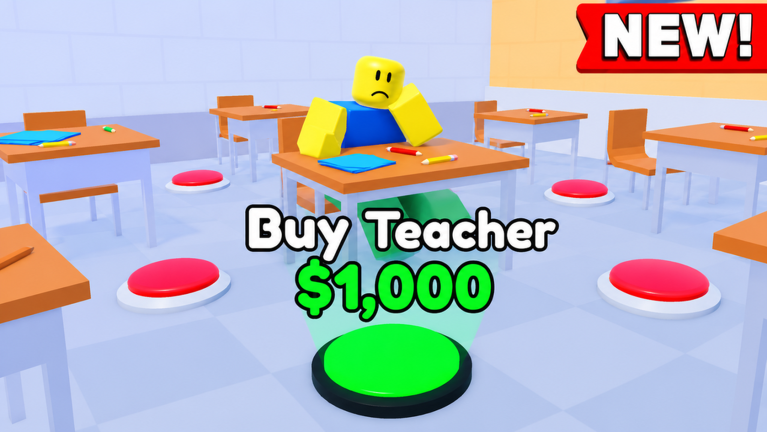
School Tycoon has been live on Roblox since 15 June 2020 under Shark Fin Studios LLC. Like most long-running tycoons, it receives intermittent updates — new rooms, quality-of-life tweaks, like-milestone code pushes, or quiet maintenance — rather than a fixed weekly season pass. This hub explains how to react when the experience updates so your guides and tier lists still match the plot under your feet.
Recent maintenance signal (November 2026)
Roblox and third-party trackers showed an Updated timestamp for place 5187612424 / universe 1810365079 around late October to 9 November 2026. Shark Fin Studios did not publish a detailed public changelog we could cite. Treat that as proof the experience is maintained, not as a license to invent patch notes. After any fresh Updated date:
- Retest codes in Customize.
- Walk floors for unfamiliar pads (Floors).
- Re-read live gamepass text — Robux perks can shift.
- Confirm autosave by rejoining once.
Visits sit near 70M with hundreds of thousands of favorites; short average sessions mean clear post-update checklists matter more than lore dumps.
How updates usually appear
Roblox shows a fresh Updated timestamp when Shark Fin Studios publishes a new version. In-game you might notice:
- New purchase pads or furniture on a floor
- Extra Customize options (colors, uniforms, schedule)
- Bus or field trip adjustments
- UI polish on collect or Codes panels
- Description text promoting a new
like####code
Not every update rewrites the core loop. Collect homework, buy desks for capacity, hire students, teachers, and janitors, expand floors, customize, and run trips remains the spine. When something new appears, slot it into the same throughput-first philosophy from the Tier List Hub and Stampers.
Post-update checklist
- Read the Roblox description for pinned code names or feature callouts.
- Open Customize → Codes and retest the table on the Codes Hub. Expired strings fail; contested aggregator codes may still be wrong-game noise — see Similar Games.
- Walk each floor looking for unpurchased pads you do not recognize. Add them to your tools checklist.
- Reassess stampers and printers. If a new dropper exists, compare it to S-tier advice on Upgrades.
- Check staff pads. New janitor or driver buttons should be ranked with Staff logic: coins per minute and cleanup before cosmetics.
- Verify saves. Join, buy a cheap pad if needed, rejoin, and confirm autosave still holds — it should.
- Skim multiplayer. On 4-player servers, see what other principals rushed to buy; use that as a soft meta signal, not law.
Codes after updates
Shark Fin Studios often ties codes to like milestones on the game page. After an update that advertises likes, redeem immediately. Keep expectations modest: commonly reported rewards are small money amounts. Details and troubleshooting live on the Codes Hub. Historical or contested strings should be treated as expired or foreign until proven on place 5187612424.
What we watch between patches
- Economy pacing — do early stampers still feel mandatory?
- Capacity gates — are desks still the bottleneck before mass students?
- Trip pipeline — any schedule or bus changes that alter field trip income?
- Gamepasses — Robux perk text on the storefront; see Gamepasses.
- Script breakage — updates often kill injectors; another reason the Scripts Hub refuses fake loadstrings.
Where to find official signals
Primary source: the Roblox experience page for School Tycoon (place 5187612424, universe 1810365079). Secondary: Shark Fin Studios LLC group posts if they announce features. This fan wiki is unofficial — we translate those signals into practical checklists, not invented changelogs.
Linking updates to progression guides
If an update adds early content, revisit Getting Started. If it buffs drops, refresh Make Money and Stampers. If it adds floors or end rooms, extend your run with Floors and Complete School. After a UI pass, skim Controls and Customize once.
Long-term mindset
School Tycoon has tens of millions of visits and a stable identity: build a school, automate income through staff and stampers, customize, trip. Updates spice the path; they rarely demand throwing away your entire buy order. Stay calm, retest codes, buy throughput first, and keep this hub bookmarked beside the Players Hub for server etiquette when lobbies fill after a hyped patch.
Frequently Asked Questions
Quick answers to the most common School Tycoon questions.
How do I know School Tycoon updated?
Check the Updated date on the Roblox experience page and look for new pads, Customize options, or description text about codes and features.
Did School Tycoon update in November 2026?
Trackers showed Updated activity around late October–9 November 2026, but no detailed public patch notes were published. Retest codes and walk your floors anyway.
Should I redeem codes after every update?
Yes. Open Customize → Codes and retest known strings. New like-milestone codes often appear around promotions.
Do updates wipe School Tycoon saves?
Progress normally autosaves. Still, after a major patch, rejoin once to confirm your floors and purchases remain.
Will this wiki list every patch note?
We focus on what players should do after changes — codes, buy order, new systems — rather than dumping raw changelogs that the studio never published.
Do scripts survive updates?
Often not. Hooks break when remotes change. Prefer legitimate guides and the Auto Collect gamepass over injectors; see the Scripts Hub.