
School Tycoon Progress Checklist
Tick off upgrades as you build - keep throughput ahead of cosmetics.
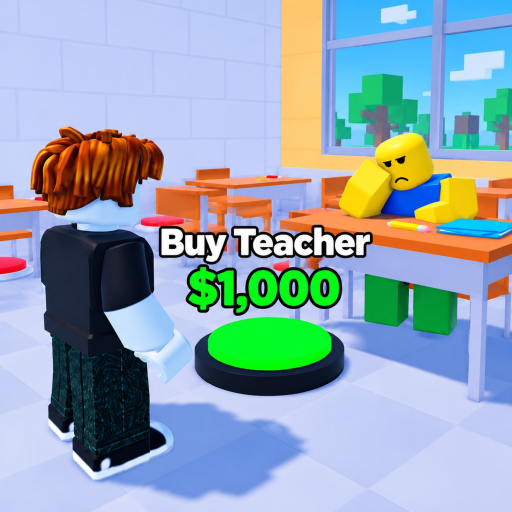
Use this page as a live checklist while you play School Tycoon. Copy the markdown sections into notes, or keep the tab open on a second monitor / phone. Items follow the same order as our tier lists and Complete School guide: throughput and capacity before vanity. Progress autosaves in-game; this list simply keeps your brain honest on 4-player servers when distractions hit.
Session start
- Joined Shark Fin Studios School Tycoon (correct place)
- Claimed / loaded my tycoon plot
- Opened Customize →?Codes and redeemed any live codes
- Confirmed money balance updated
- Skimmed nearby players only for build ideas (see Players)
Core income engine
- First printer / drop path purchased
- Early stamper tiers bought (work toward higher letter tiers such as F →?A style progression)
- Homework collect route memorized (Make Money)
- Desk capacity expanded before mass hiring
- Diploma / advanced printer steps not skipped when visible
Staff pipeline
- Students hired in line with desk capacity (Staff tiers)
- Teachers added as mid-scale income / school fantasy completes
- Janitors hired for cleanup plus extra coins
- Bus driver / trip-related staff considered once trips unlock
Customize & trips
- Colors / uniforms postponed until economy is stable
- Schedule options reviewed for field trips
- Bus route understood and unobstructed
- Completed at least one field trip successfully
- Reinvested trip income into S/A upgrades, not only cosmetics
Floor expansion
Mark floors as you unlock them. Names vary by what you see in your version; use generic labels and rename mentally to match pads on your plot.
- Floor 1 critical pads (stampers, desks, starter staff) complete
- Floor 2 unlocked and income restored after the buy
- Floor 3 unlocked; capacity rechecked
- Floor 4+ pushed only when previous floor funds itself
- No major S-tier pad left behind on lower floors (Upgrades)
- Final showcase furniture purchased last
Quality pass before you log off
- Walked full collect route once without getting stuck
- Janitors covering messy hotspots
- Codes double-checked after any update
- Noted next two purchases for the following session
- Avoided unverified scripts
How to use the checklist with guides
New players should complete Session start and Core income engine beside Getting Started and Controls. Mid-game principals focus on Staff pipeline plus Customize & trips. Completionists live in Floor expansion with Complete School open.
If a patch adds rooms, insert new bullets under Floor expansion rather than deleting old ones - unfinished lower pads still tax your income. When Robux passes are tempting, read Gamepasses before checking any “buy VIP” mental box.
Why a checklist beats memory
School Tycoon sessions can run long. Between homework loops, chatting on a full 4-player server, and Customize tinkering, it is easy to leave a stamper unpurchased while funding lockers. A written queue tied to S/A priorities from the Tier List Hub keeps the school finishing faster without needing risky auto-buy injectors.
Revisit this tool every session. Tick what is done, circle what is next, and jump back into the matching guide when a line item confuses you.
Frequently Asked Questions
Quick answers to the most common School Tycoon questions.
Is this an interactive in-game tool?
No. It is a wiki checklist you keep open while playing. School Tycoon itself autosaves your real purchases.
What order should I tick items?
Session start, then core income, then staff, then trips, then floors. Cosmetics stay last unless a schedule option enables field trips.
Can I copy this checklist?
Yes. Copy the markdown lists into your own notes and rename floor lines to match your plot.
Do codes belong on the checklist?
Yes - redeem at session start and again after updates. See the Codes Hub for current strings.
Where do I go if I am stuck on income?
Open Make Money and the Upgrades tier list, then return here and tick stamper and desk lines before more furniture.